App Store Scraper vs App Store Data API: Full Top 100
A practical guide for product teams, agencies, and analysts who need the complete picture
The App Store top 100 is one of the most-watched competitive signals in mobile. But getting reliable, complete access to it is harder than it should be and the methods that seem obvious mostly don’t work.
This guide explains why, and what actually does.
Why You Need the Full 100
The top 25 tells you who’s winning. The full top 100 tells you who’s coming.
Most competitive intelligence questions live in positions 26–100:
- Which new entrants are gaining ground before they break the top 10?
- Which apps are present in one market but not another?
- Which SDK patterns appear at positions 40–80 but not at the top?
- Which regulatory-relevant apps are quietly climbing?
If your method only returns the top 25, you’re missing the majority of the chart — and the part of it that changes fastest.
The Methods That Don’t Work
Web search (including via AI assistants)
The App Store chart pages are JavaScript-rendered. Web crawlers — including the tools built into Claude, ChatGPT, Gemini, and Copilot — see only what’s in the initial HTML load, which is the top 25 apps.
Refining the prompt doesn’t fix this. The data wall is structural, not linguistic.
What you get: Positions 1–25. Sometimes fewer.
Apple’s RSS API (directly)
Apple publishes a JSON feed of the full top 100 at a publicly documented URL. In theory, this is the right approach.
In practice, AI assistants can’t fetch it. Anthropic’s infrastructure — and similar sandboxes at OpenAI and Google — restricts direct URL fetches to URLs that have appeared in prior web search results. The RSS endpoint doesn’t surface that way.
For developers running their own code, the RSS feed does work — but it returns raw app IDs with no metadata, no category context, and no historical view.
What you get: Raw IDs, no metadata, no history. And nothing at all via AI assistant.
Browser-based widgets and scripts
AI assistants like Claude can build browser-based tools to fetch the RSS API client-side. These widgets render and appear to run — but artifacts operate in sandboxed environments with outbound network restrictions.
The fetch calls fire. No data comes back.
What you get: Silent failure.
Third-party aggregators and review sites
Sites that surface app ranking data exist, but they are designed for consumer browsing, not data extraction. Coverage is inconsistent, update frequency varies, and most publish only the top 10 with any reliability.
What you get: Inconsistent coverage, often days or weeks out of date.
What Actually Works
Ask Appnalysis (conversational, no setup)
The fastest route to a complete, sourced answer is to ask Appnalysis directly. The /ask interface accepts natural-language questions and returns answers grounded in current App Store and Play Store data, with sources cited.
- Example questions you can try right now
- Which finance apps are in both the UK and Germany top 100?
- Which apps entered the UK top 100 in the last 30 days?
- What SDKs are most common among apps at positions 26–100 of the UK finance chart?
No setup. No API key. Just the question.
Appnalysis via MCP (AI-native, for teams using Claude or other AI assistants)
If your team already uses Claude Desktop, Cursor, or another MCP-capable client, you can connect Appnalysis directly. Appnalysis is not a passive data source. It is a mobile intelligence Agent: when your AI assistant calls it, Appnalysis runs its own internal reasoning across chart, listing, package and regulatory data before returning an interpreted answer. The AI doesn't change, but what it can see, and the quality of what comes back, does.
Once connected, the same question that failed five times unaided gets answered in a single query, with current data and sources.
This is the difference between an AI that reasons well and an AI that reasons well and is partnered with a specialist Agent that already understands the mobile ecosystem. Two agentic loops, one answer.
See how to connect Appnalysis via MCP →
The quick decision guide
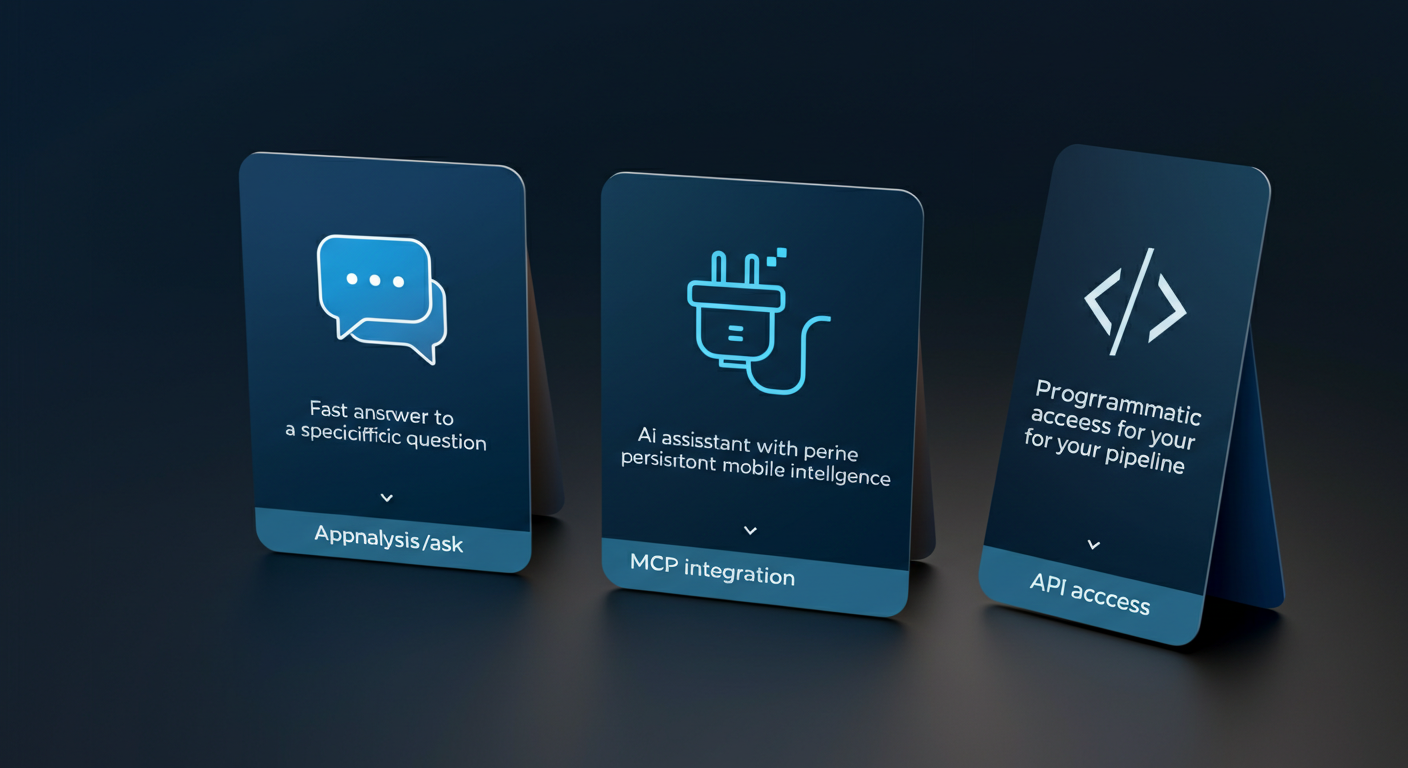
Fast answer to a specific question → Ask Appnalysis at /ask
AI assistant with persistent mobile intelligence → MCP integration at /mcp
Programmatic access for your own pipeline → Contact Appnalysis for API access
Why This Matters Beyond the Top 25
The chart data itself is only part of the value. What Appnalysis surfaces alongside rankings is what turns raw positions into decisions:
- Cross-market presence: Which apps rank in one geography but not another?
- Category context: How does an app’s chart position relate to its category peers?
- Historical movement: Where was this app 30 days ago? 90 days ago?
- SDK and technology signals: What does the tech stack tell you about the app’s investment trajectory?
These are the questions that feed competitive strategy — and they all require the full 100, not just the visible 25.
The AI Limitation in Full
If you’ve tried asking Claude, ChatGPT, or Gemini for App Store chart data and found it incomplete, you’re not alone — and you haven’t done anything wrong.
The problem is structural:
- JavaScript rendering — Chart pages load positions 1–25 in HTML; the rest are rendered client-side. Crawlers can’t see them.
- Sandbox restrictions — Direct API fetches from AI artifact environments are blocked at the network level.
- No structured historical data — Even where some data is technically accessible, AI models have no connection to maintained, timestamped, structured mobile intelligence.
This is what we call the invisible data wall: a technical barrier that looks like an AI limitation but is actually a data access problem.
The solution isn’t a better model or a smarter prompt. It’s a direct connection to the data itself.
For the full account of how this played out in a real conversation, see: We Asked Claude to Answer a Simple App Store Question. Here’s What Actually Happened.
Try It Now
Ask Appnalysis the question your AI assistant couldn’t answer.
Related reading
- Appnalysis vs Sensor Tower
- Mobile App Competitor Analysis: A Step-by-Step Guide
- We Asked Claude a Simple App Store Question
Learn more about Appnalysis
Explore how Appnalysis turns mobile app intelligence into evidence-backed answers:
Live examples of Top 100 and chart-movement questions.
What the Top 100 tells you about app store trends
Getting the raw data is half the job. For the second half, deciding what to actually measure, see app store analytics in 2026: what to measure.